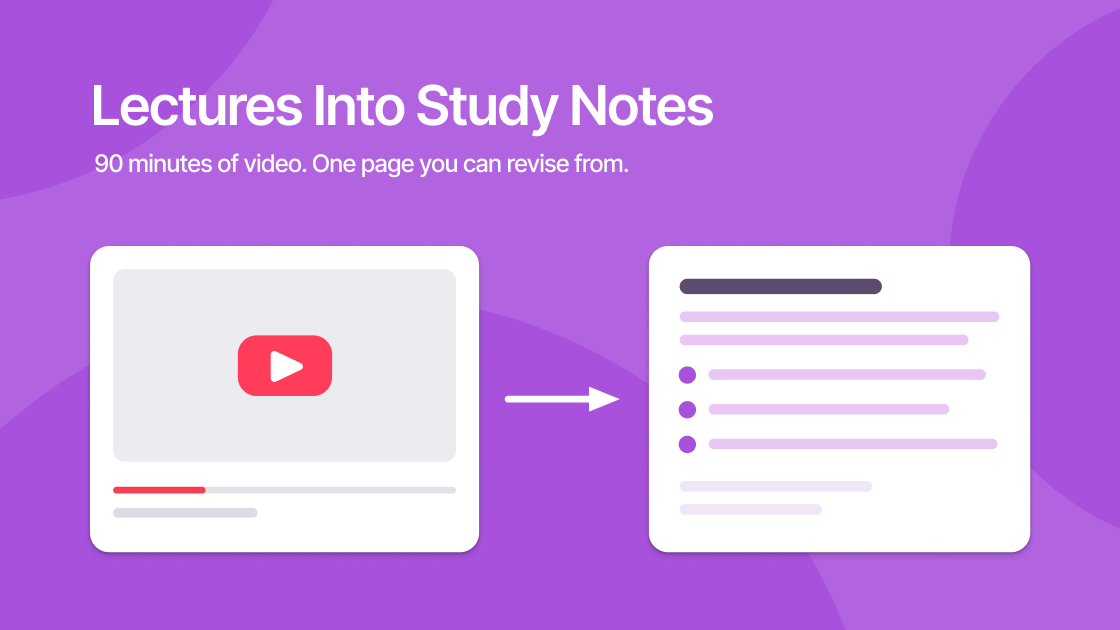
A 90-minute lecture takes 90 minutes to watch and produces nothing you can revise from. Re-watching it takes another 90 minutes and produces the same nothing.
Video is a genuinely bad study medium, not because the content is weak, but because it resists the two things that actually make information stick: skimming and rewriting. This is a workflow for converting a lecture recording into study notes you can revise from, in roughly ten minutes.
The Short Answer
Generate a detailed AI summary of the lecture, then edit it against the timestamped transcript. The AI supplies structure and coverage; you supply the judgement about what matters and the act of rewriting that makes it memorable.
The editing step is not optional. Skip it and you have a document you have read once, which is worth very little.
Why Passive Re-Watching Fails
Re-watching feels productive because it takes effort and time. It mostly produces familiarity, the sense that you know the material because you recognise it.
Recognition is not recall. In an exam you need to produce the information without the lecturer's voice prompting you, and recognition does not transfer to that.
What does work is retrieval practice and elaboration: putting ideas into your own words, testing yourself, and connecting new material to what you already know. All three need text you can manipulate. Video gives you nothing to manipulate, which is what this workflow fixes.
The Four-Step Workflow
Step 1: Generate a Detailed Summary
Paste the lecture URL into ekstrakt and choose Detailed rather than Short.
The format choice matters more than anything else here. A Short summary gives you a paragraph: fine for deciding whether to watch, useless for revision. Detailed produces a structured breakdown with headings for each major topic, which is the skeleton your notes will hang on.
For a sense of what Step 1 produces before you touch it, the detailed summary of MIT's How to Speak covers a 63-minute lecture and is a fair example of the raw material this workflow starts from.
If the lecture has no transcript available, this troubleshooting guide covers why and what to do.
Step 2: Extract the Definitions and Claims
Read through and pull out the things that are actually examinable:
- Definitions: the terms introduced, in the lecturer's specific phrasing
- Causal claims: X causes Y, and the stated reason why
- Worked examples: the problem type and the method used
- Explicit emphasis: anything flagged as "this will come up" or "the key thing here"
That last category is the one AI reliably flattens. A summarizer weights the lecturer's throwaway aside and their "this is the central idea of the course" the same way, because both are just sentences in a transcript. You have to restore that emphasis yourself.
Step 3: Fill the Visual Gaps
Here is the hard limit of any transcript-based tool: it only knows what was said out loud.
Anything on a slide, whiteboard, or screen that was not narrated is invisible to it. In practice this means:
| Content type | Captured? |
|---|---|
| Spoken explanation | Yes |
| Slide text read aloud | Yes |
| Slide text not read aloud | No |
| Diagrams and figures | No |
| Equations written silently | No |
| Code on screen | No |
For maths, engineering, and anything diagram-heavy, this is not a small gap. Use the timestamped transcript to jump to those moments and capture the visuals yourself. The summary tells you where they are, which still saves you the scrubbing.
This is where ekstrakt's clickable timestamps earn their place: find the passage in the transcript, click, and the player jumps straight to the diagram.
Step 4: Rewrite It in Your Own Words
Condense the edited summary into something shorter than what you started with. Aim for one page per hour of lecture.
This step is the one that actually creates the memory. Deciding what to cut forces you to judge what matters, and that judgement is the studying. A perfectly accurate set of notes you did not write yourself is barely better than the video.
Turning Notes into Recall Practice
Once you have the notes, convert them into questions. The Ask a Question summary type is useful for the reverse direction too. When your notes are thin on a topic, ask the lecture directly:
"What did the lecturer say about the assumptions behind the central limit theorem?"
You get a targeted answer from that specific lecture rather than the general internet, which matters when your exam is on your lecturer's treatment of a topic rather than the canonical one.
A Realistic Time Budget
For a 90-minute lecture:
| Step | Time |
|---|---|
| Generate detailed summary | ~1 min |
| Extract definitions and claims | 3–4 min |
| Fill visual gaps from timestamps | 3–5 min |
| Rewrite and condense | 5–10 min |
| Total | ~12–20 min |
Against 90 minutes of re-watching that produces no artefact, this is a good trade, and unlike the re-watch, it leaves you with something to revise from next month.
Which Videos to Notes Conversions Are Worth Doing
The workflow is written around university lectures, but it applies to any long video whose value is in what gets said rather than what gets shown. Conference talks, recorded webinars, seminar recordings, MOOC modules, and long-form technical interviews all convert well, for the same reason lectures do: the argument is carried by speech, so the transcript carries the argument.
Worked examples of each shape: a full MIT lecture at 63 minutes, a conference talk at 16, and a long-form interview at over two and a half hours.
Two properties decide whether a video is worth converting to notes at all:
- Length. Under about 15 minutes, reading the transcript directly is faster than generating and editing a summary. Veritasium's The Science of Thinking runs 12 minutes and sits just below the line: read it, do not process it. The workflow earns its overhead somewhere past the half-hour mark.
- Density. A talk that makes six claims in an hour compresses beautifully. A talk that makes sixty does not, and the summary will silently drop most of them.
If a video fails both tests, watch it. The point of converting video to notes is to produce something you can revise from, not to avoid watching things.
Where This Doesn't Work
Be honest about the cases where the workflow underperforms:
- Live coding and software tutorials. Most of the value is on screen. Watch these properly. A hardware build like this one summarizes into something readable, but the readable version is not the point of the video.
- Lectures where the slides carry the argument. If the lecturer talks around dense slides rather than through them, the transcript captures the commentary and misses the substance.
- Anything you need deep rather than fast. For your core subject, the slower path is the right one. Use this for breadth: the module you need to pass, not the one you need to master.
Start With Your Longest Backlog Lecture
Pick the recording you have been avoiding. Run it through the four steps and see what a page of your own notes feels like compared to another 90 minutes of watching.
Try it free at ekstrakt.app, or use the Chrome extension to work directly inside YouTube while you go through a lecture playlist. If you want to see the output format before running your own, the video summary library is readable without an account.